

Description
Download SpyBot Search And Destroy – anti-spyware, spyware removal, computer security, malware protection, free security tool
Overview
SpyBot Search And Destroy is a dedicated anti-spyware tool developed by Safer-Networking Ltd. designed to detect and eliminate spyware from Windows-based systems. Unlike traditional antivirus software, which primarily targets viruses and worms, SpyBot focuses specifically on spyware—malicious software that monitors user behavior, collects personal data, and alters system settings without consent. This specialized focus makes it a critical complement to broader security solutions, especially for users concerned about privacy and unauthorized data collection.
The application is particularly useful for individuals experiencing symptoms such as unexpected browser redirects, uninstalled toolbars, altered homepages, or sluggish system performance—common indicators of spyware infection. It serves as a reliable utility for both casual users and those with intermediate technical knowledge who seek enhanced protection beyond standard security software. Its long-standing presence in the cybersecurity ecosystem underscores its credibility and effectiveness in combating evolving spyware threats.
Although the developer did not provide additional technical details about the underlying detection engine or threat intelligence sources, the app’s consistent updates and established reputation suggest a robust, community-driven development model. For users aiming to maintain a clean, secure computing environment, SpyBot Search And Destroy offers a focused, free solution tailored to a persistent and often overlooked category of digital threats.
Key Features & Functionality
- Comprehensive Spyware Detection – The tool performs deep scans across the hard drive, registry, and system memory to identify known spyware signatures and suspicious behaviors. This multi-layered approach increases the likelihood of uncovering hidden threats that may evade standard antivirus programs.
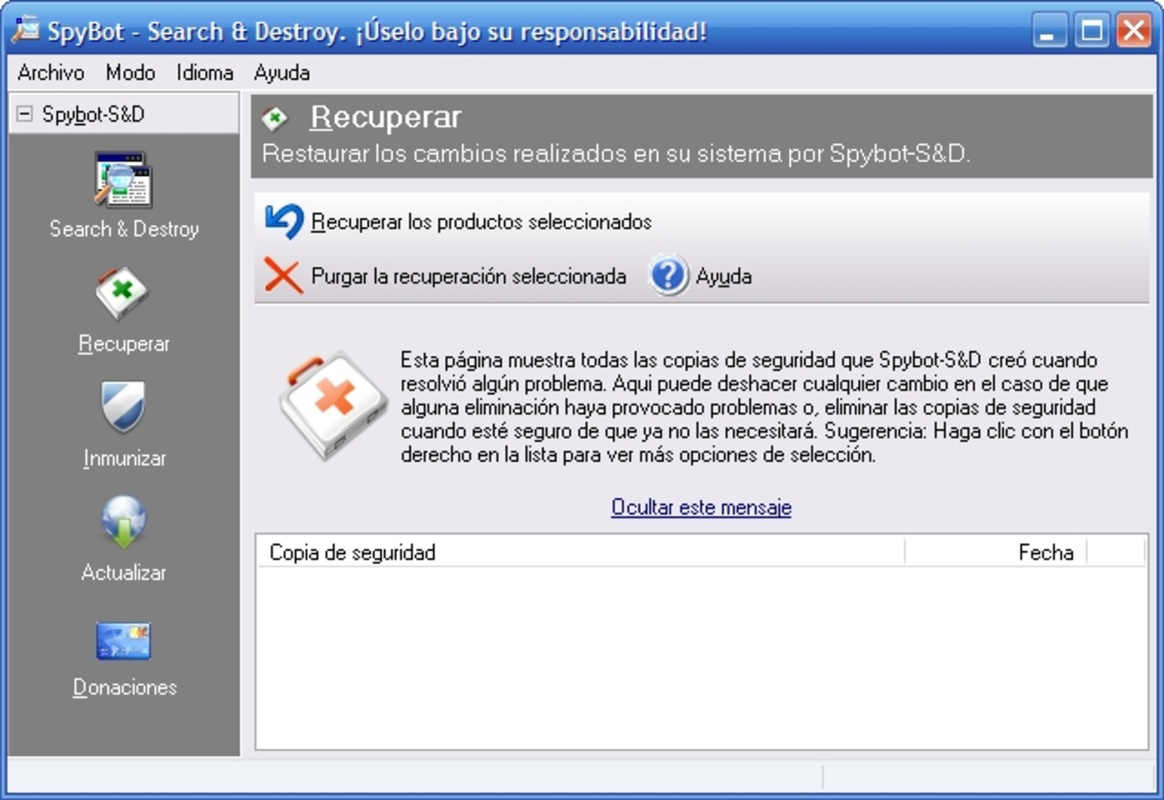
- Efficient Spyware Removal – Once threats are detected, SpyBot allows users to remove them with a single confirmation. The removal process is designed to be safe and reversible, minimizing the risk of system instability.
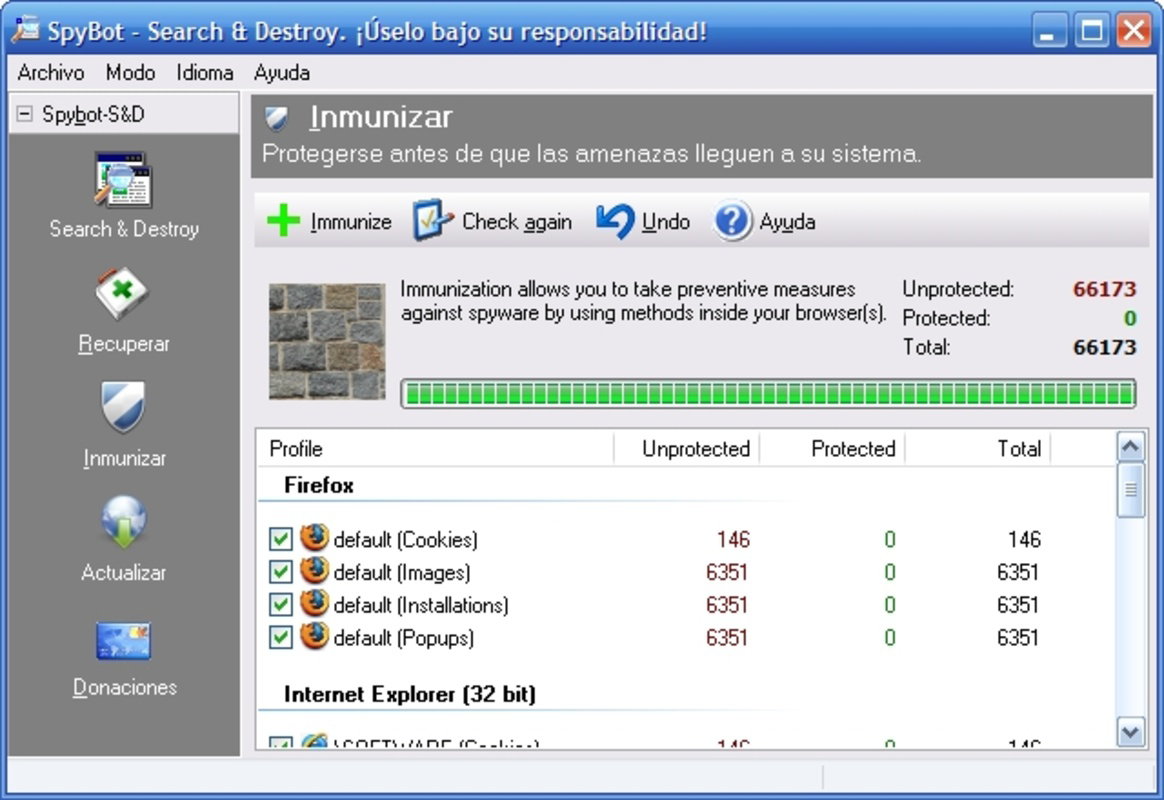
- Easy and Advanced Modes – The dual-mode interface caters to diverse user needs. Easy mode automates the scanning and cleanup process, ideal for beginners, while Advanced mode provides granular control over scan settings, quarantine options, and real-time protection configuration.
- Browser Compatibility – SpyBot is compatible with major web browsers including Internet Explorer, Mozilla Firefox, and Opera, ensuring protection against browser-specific spyware that can hijack sessions or inject malicious scripts.
- Regular Updates – The application receives frequent updates to its threat database, ensuring it remains effective against newly discovered spyware variants. This proactive maintenance is essential in countering rapidly evolving threats.
For example, a user who notices their browser opening unexpected tabs can run a scan to detect and remove browser hijackers. Similarly, someone managing a shared family computer may use the tool to regularly clean up hidden tracking software installed by third-party downloads.
Interface, UX & Performance
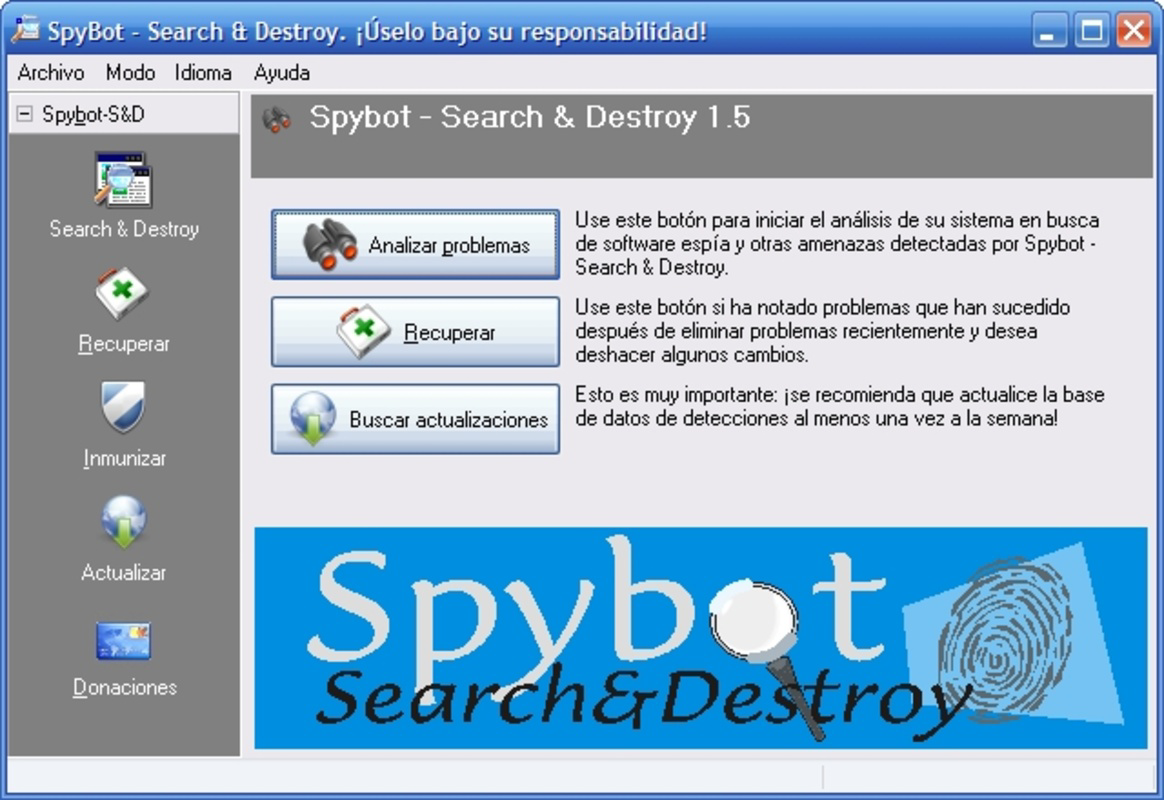
The user interface of SpyBot Search And Destroy is straightforward and functional, reflecting its utility-focused design. The main dashboard presents key actions—such as scanning, removing threats, and updating the database—through clearly labeled buttons and navigation tabs. While the layout is not modern or visually dynamic, it prioritizes clarity and accessibility, reducing cognitive load during critical security tasks.
Navigating between modes and settings is intuitive, with minimal steps required to initiate a scan or review results. The tool’s performance is generally stable on standard Windows systems, with minimal impact on CPU and memory usage during scans. Although the developer did not list formal performance metrics, users can expect consistent responsiveness across mid-tier and high-end Windows devices.
Responsiveness during long scans remains acceptable, and the application does not typically freeze or crash. Stability is further supported by the absence of reported critical bugs in recent versions. For users seeking a no-frills, reliable security tool, SpyBot delivers a dependable experience without unnecessary complexity or resource consumption.
Platform Compatibility & Technical Requirements
SpyBot Search And Destroy is available exclusively for the Windows platform. It requires a Windows operating system, though specific minimum OS requirements were not listed by the developer. The application has a file size of 15.4 MB, making it lightweight and quick to download and install.
Given its small footprint and compatibility with mainstream Windows versions, it is suitable for use on older systems as well as modern machines. The app does not require additional software or runtime dependencies, simplifying deployment. However, users should ensure their system meets basic Windows requirements to run the application smoothly.
Although the developer did not specify minimum OS versions or hardware specifications, the app’s long history and low resource usage suggest broad compatibility across Windows 7 and later releases. For users seeking a free, lightweight security tool, this compatibility profile enhances its accessibility.
Pros and Cons
Pros
- Free to download and use with no hidden costs
- Specialized focus on spyware detection and removal
- Supports both beginner and advanced users through dual-mode interface
- Regular updates to maintain protection against emerging threats
- Lightweight design with minimal system impact
Cons
- Platform limited to Windows only
- No mobile or cross-platform availability
- Interface lacks modern visual design elements
- Developer did not provide detailed technical specifications
- Does not include real-time protection in standard configuration
FAQ
Is SpyBot Search And Destroy safe to use?
Yes, SpyBot Search And Destroy is a legitimate and secure tool developed by Safer-Networking Ltd. It has been widely used for years without evidence of malicious behavior. Always download the app from official sources to ensure authenticity.
Can I use SpyBot on older Windows systems?
While the developer did not specify minimum OS requirements, the app’s lightweight design and long history suggest compatibility with Windows 7 and later versions. Users should verify system compatibility before installation.
Does SpyBot offer real-time protection?
By default, the application does not provide continuous real-time monitoring. It operates primarily as an on-demand scanner. For real-time defense, users may need to combine it with another security solution.
How often is SpyBot updated?
SpyBot Search And Destroy receives regular updates to its threat database, typically following the emergence of new spyware variants. These updates ensure the tool remains effective against current threats.
Is there a mobile version of SpyBot?
No mobile version is currently available. The application is designed exclusively for Windows desktop and laptop systems. Users seeking mobile security should consider alternative tools for Android or iOS.
Final Thoughts
SpyBot Search And Destroy stands out as a focused, effective, and free solution for combating spyware on Windows systems. Its ability to detect and remove threats that standard antivirus software often misses makes it a valuable addition to any digital security strategy. While its interface is functional rather than modern, and it lacks real-time protection, its strengths lie in its specialized purpose, regular updates, and user-friendly dual-mode design.
It is ideal for individuals who want a reliable, no-cost tool to clean up infections, protect their privacy, and maintain browser integrity. For users managing multiple devices or seeking mobile protection, alternatives may be necessary. However, for Windows users prioritizing spyware defense, SpyBot remains a trusted and accessible choice.
Download SpyBot Search And Destroy now
Guides & Tutorials for SpyBot Search And Destroy
How to install SpyBot Search And Destroy
- Click the Preview / Download button above.
- Once redirected, accept the terms and click Install.
- Wait for the SpyBot Search And Destroy download to finish on your device.
How to use SpyBot Search And Destroy
This software is primarily used for its core features described above. Open the app after installation to explore its capabilities.
User Reviews for SpyBot Search And Destroy 0
No reviews found


